 Ulak
Türkçe
GitHub
A courier for your coding agents, not a key to your machine.
The yes goes to the question you read.
An agent stops and asks: run this? You are not at your desk. The usual fix is a terminal on your phone, which puts the whole machine on your phone. Ulak carries one thing between you and your agents: the answer.
- Served from your own computer
- Reached only over your Tailscale network
- No account, no relay, no telemetry
- For Claude Code, Codex and Antigravity in Herdr
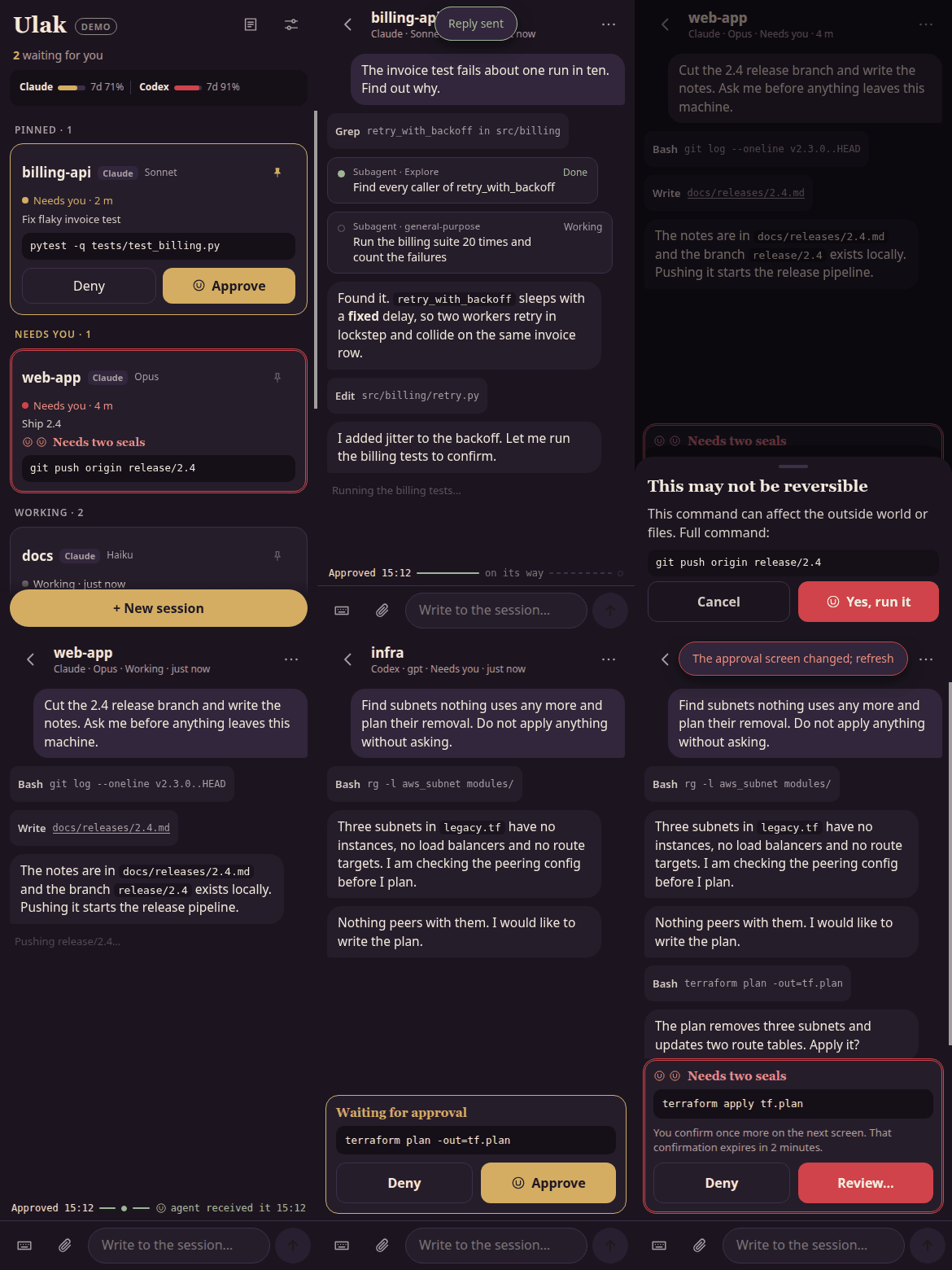
One answer, four stops
A tap on a small screen is easy to get wrong. Ulak follows your answer from the moment you read the question until the agent has it, and checks it at each stop.
-
Read
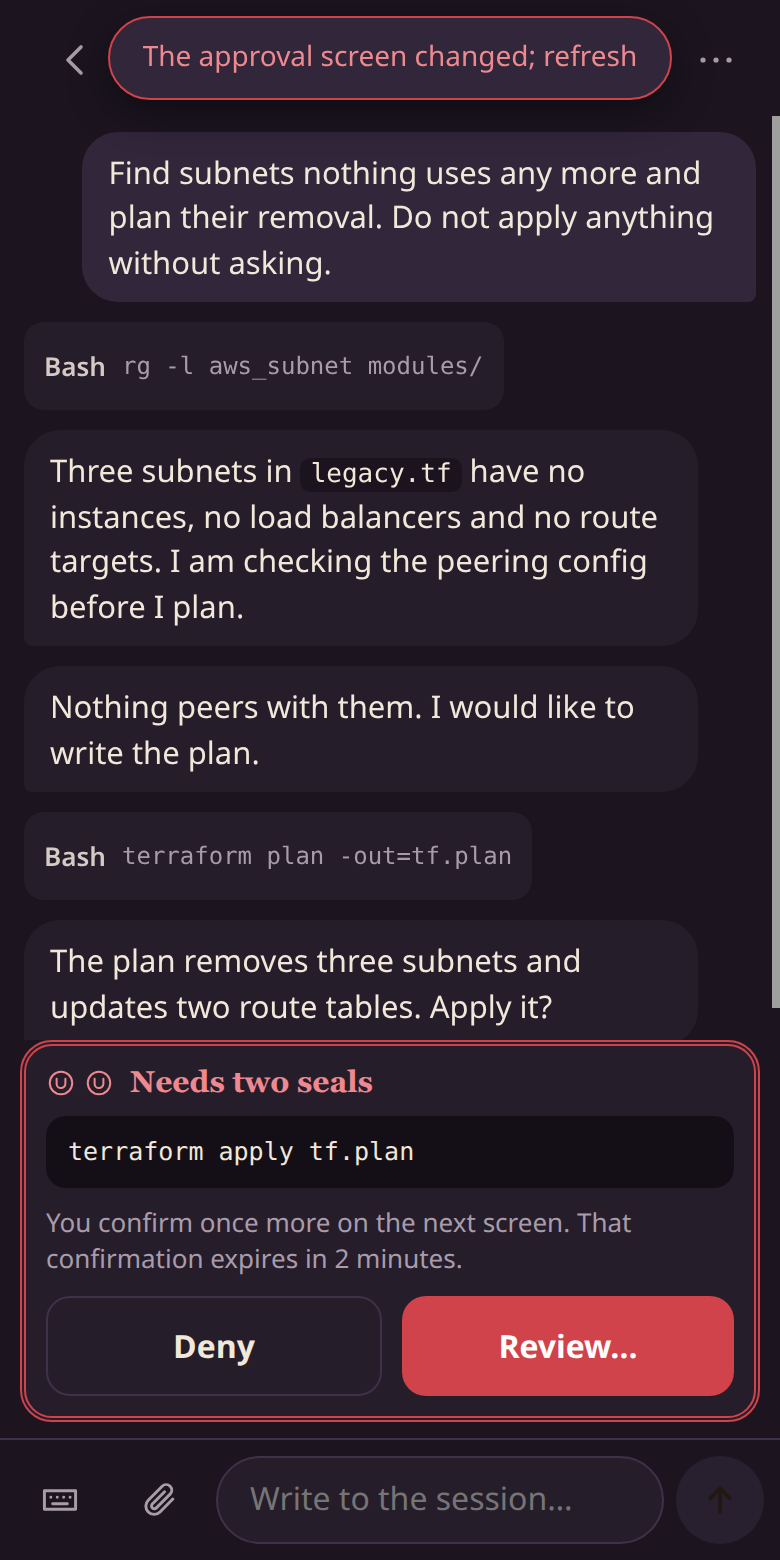
Your yes is bound to what you read.
Every approval carries a fingerprint of the prompt on your screen. If the agent is asking something else by the time your tap arrives, the server refuses it, shows you the new question and approves nothing.
-
Sealed twice
Commands that leave a mark need two seals.
rm,git push,ssh,terraform apply,kubectl delete, cloud CLIs and your own patterns show the full command and ask again. The second seal expires in two minutes.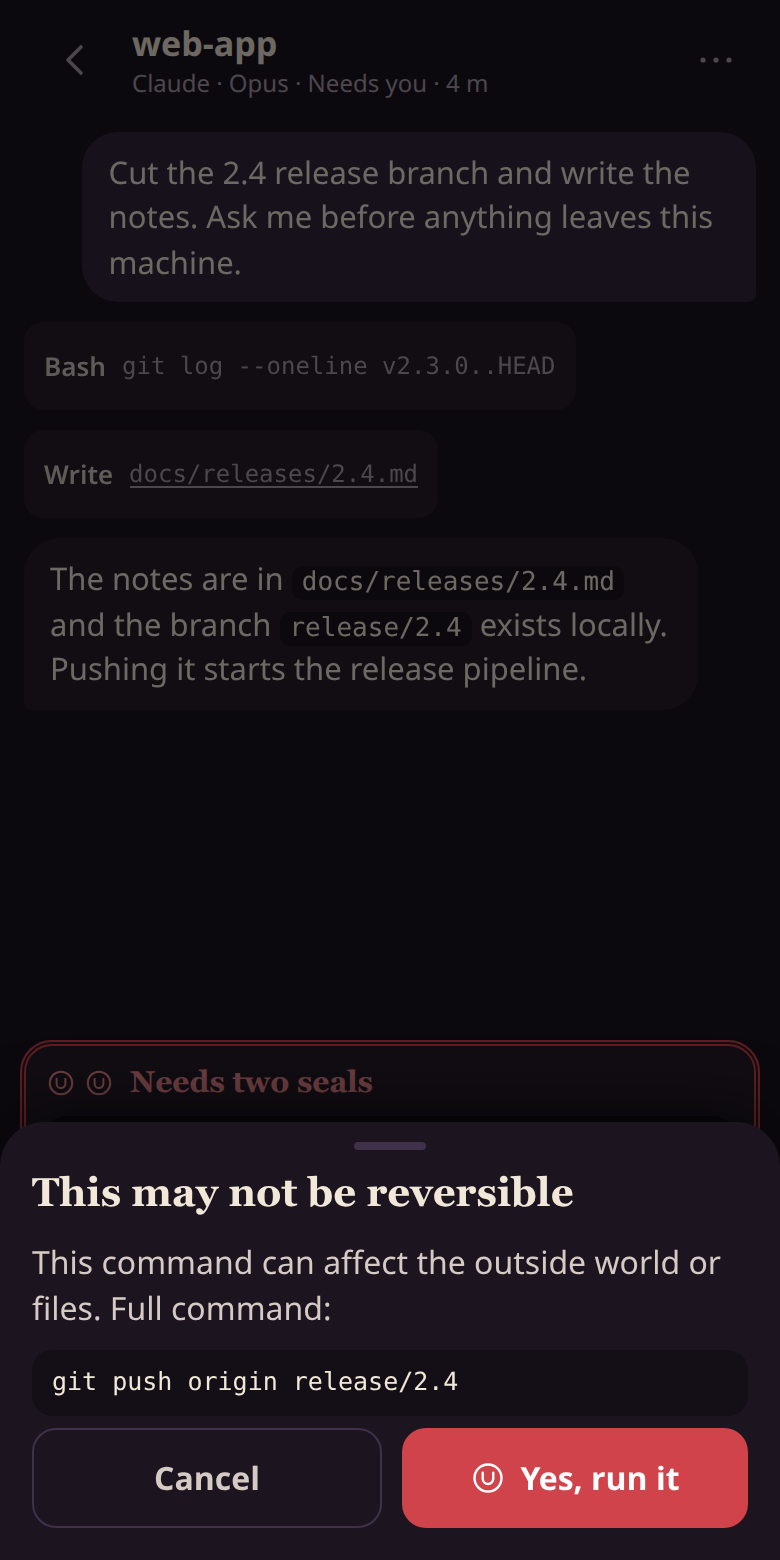
-
Delivered
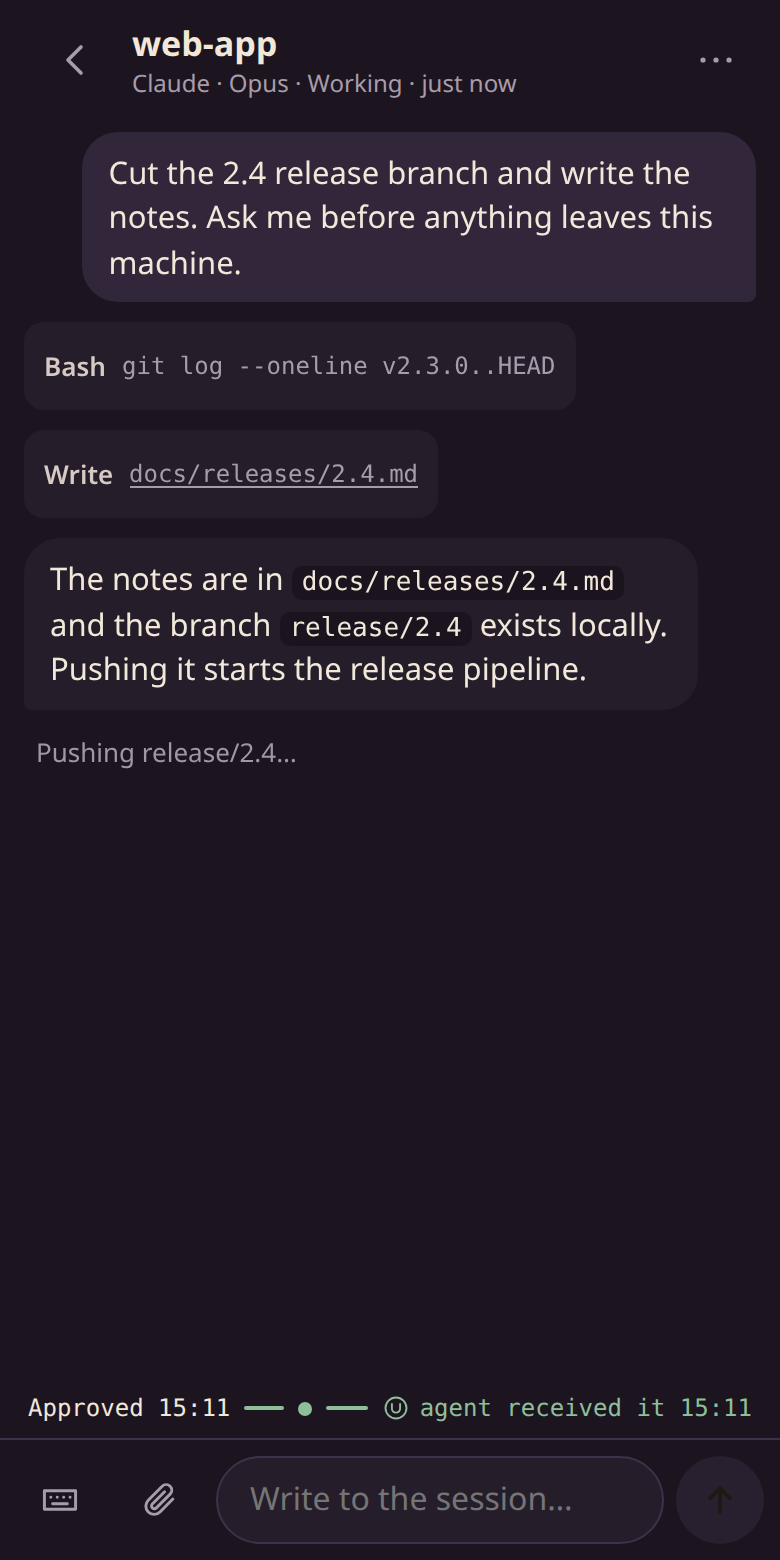
You see the answer arrive.
A line above the composer follows it: sent, on its way, agent received it. If the prompt never leaves the agent's screen, Ulak says so instead of assuming.
-
On record
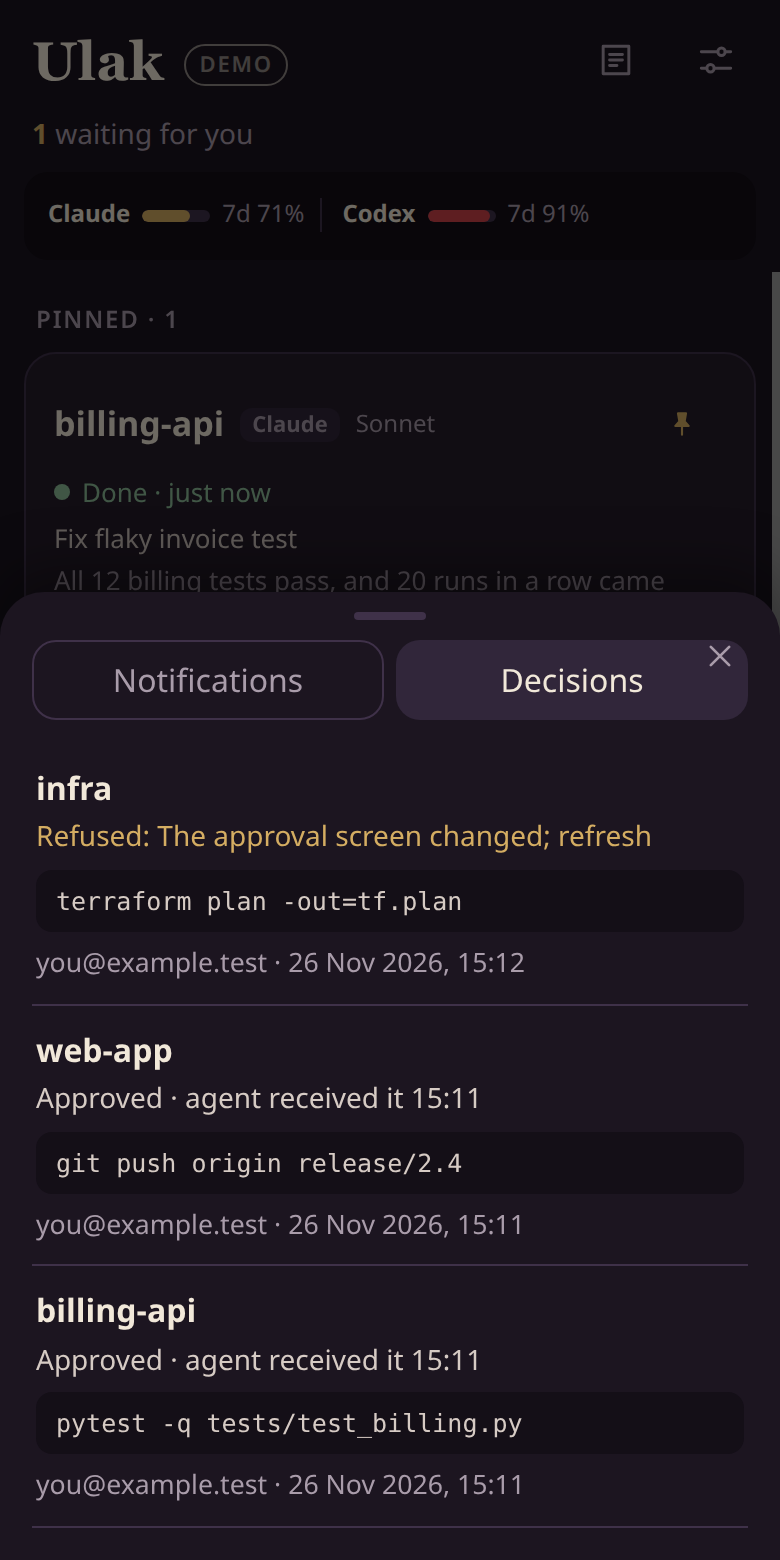
Every decision is written down.
Each approval, each refusal and each timeout is logged on your own machine with who, what and when. It is one tap away in the app.
When to pick something else
Ulak is narrow on purpose. These projects solve the same problem with other trade-offs, and each is the better choice for some people.
- Pick HerdrChatwhen you want a native app, a real terminal, subagent and workflow transcripts, an iPad layout, or several computers in one list.
- Pick ColliePWAwhen you use tmux or zellij instead of Herdr, or want built-in voice input, themes and its durable-agent tools.
- Pick Oviswhen your phone cannot join a tailnet, or you want one app across desktop, phone and browser.
- Pick Ulakwhen you want the phone to be able to answer and little else, every yes tied to the question you read, and code short enough to read before you trust it.
What Ulak does not do: no terminal, one computer, one person, Herdr only. A pane with no agent in it can be read but not written to. The full comparison is in the README, read from each project's own README on 26 November 2026.
Run it on your own machine
You need Herdr running your agents, Tailscale on the computer and on the phone, and Python 3.
git clone https://github.com/mtbagatur/ulak.git && cd ulak
ULAK_ALLOWED_LOGIN=you@github ULAK_VAPID_SUBJECT=mailto:you@example.com ./install.sh
tailscale serve --bg 8765
Then open your machine's Tailscale address on the phone and add it to the home screen. Before you run it, read SECURITY.md: what each check protects, and where it stops.